Your website
Online ordering menu
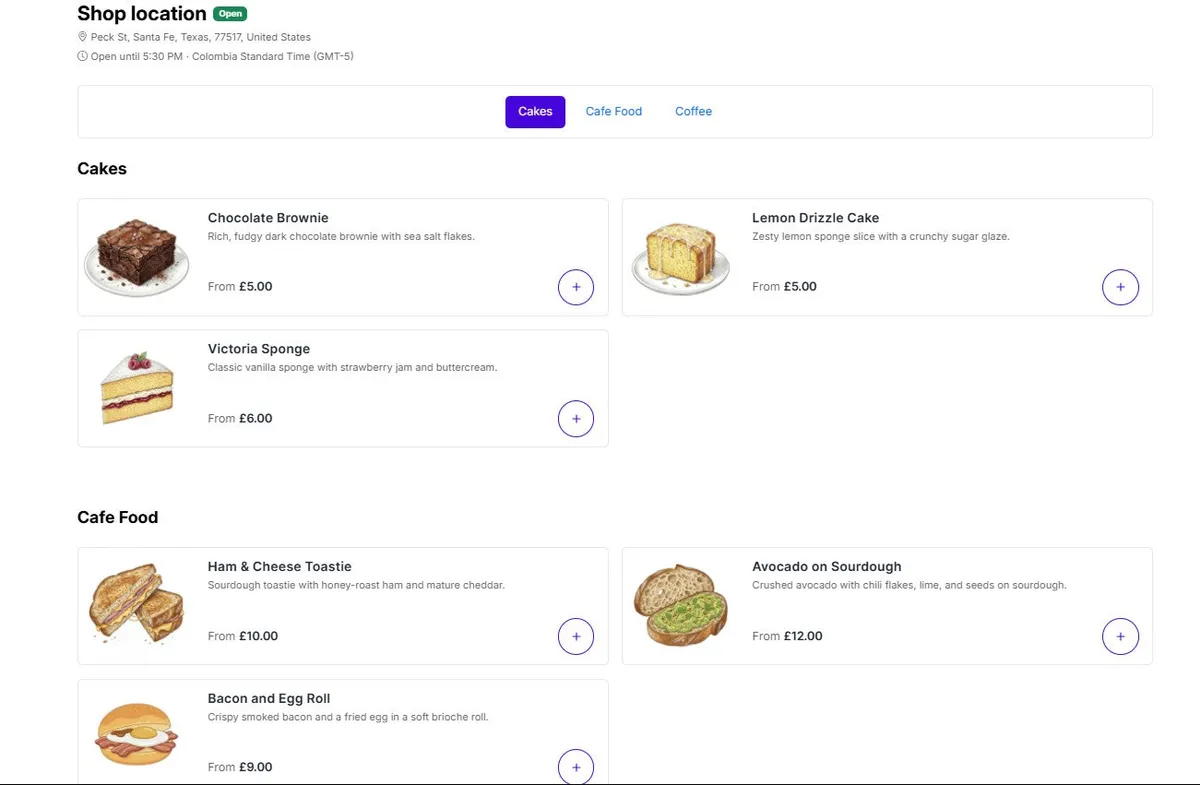
A fast ordering menu on a page of your Shopify online store, on any device.
- Live prices and availability for each location
- Pickup now or scheduled for later
- Customers pay through Shopify checkout
Online ordering and kiosks
Add an ordering menu to your Shopify store, QR codes to your tables and Cloudshelf kiosks to your cafe, all from the menu you already sell in store. Every order reaches the kitchen like a counter sale.
Customers pay through Shopify checkout, in your store’s currency.
How it works
Your online menu, table QR codes and kiosks all use the products and modifiers you sell in store, so there’s only one menu to keep up to date.
The online menu uses your POS Cafe collections, products and modifier sets. Each location can use your main menu or its own.
Add the POS Cafe Online block to a page in your theme editor, then match its colours and layout to your brand.
Customers pay through Shopify checkout, and each item goes to the printers and Fresh KDS screens for its prep area.
Ways to order
Offer one or all three. Orders from each go to the same printers and Fresh KDS screens.
A fast ordering menu on a page of your Shopify online store, on any device.
A QR code on each table opens your menu already set to that location and table.
Self-service kiosks in your cafe, built on the same POS Cafe menu as your counter.
Using Zapiet for pickup and local delivery? See the Zapiet integration
Built for cafes
Prices and availability come live from your store, correct for each Shopify market, and the cart follows the customer’s currency.
Customers choose sizes, milks, syrups and extras from your modifier sets, with any extra charges added.
Customers pick a time slot, 10, 15 or 30 minutes apart, after the prep time you set.
Weekly opening hours and date overrides for holidays, shown in each location’s own time zone.
Run several cafes from one store, each with its own menu, hours, order types and stock.
Optional live sold-out updates take an item off sale at a location within seconds of it selling out.
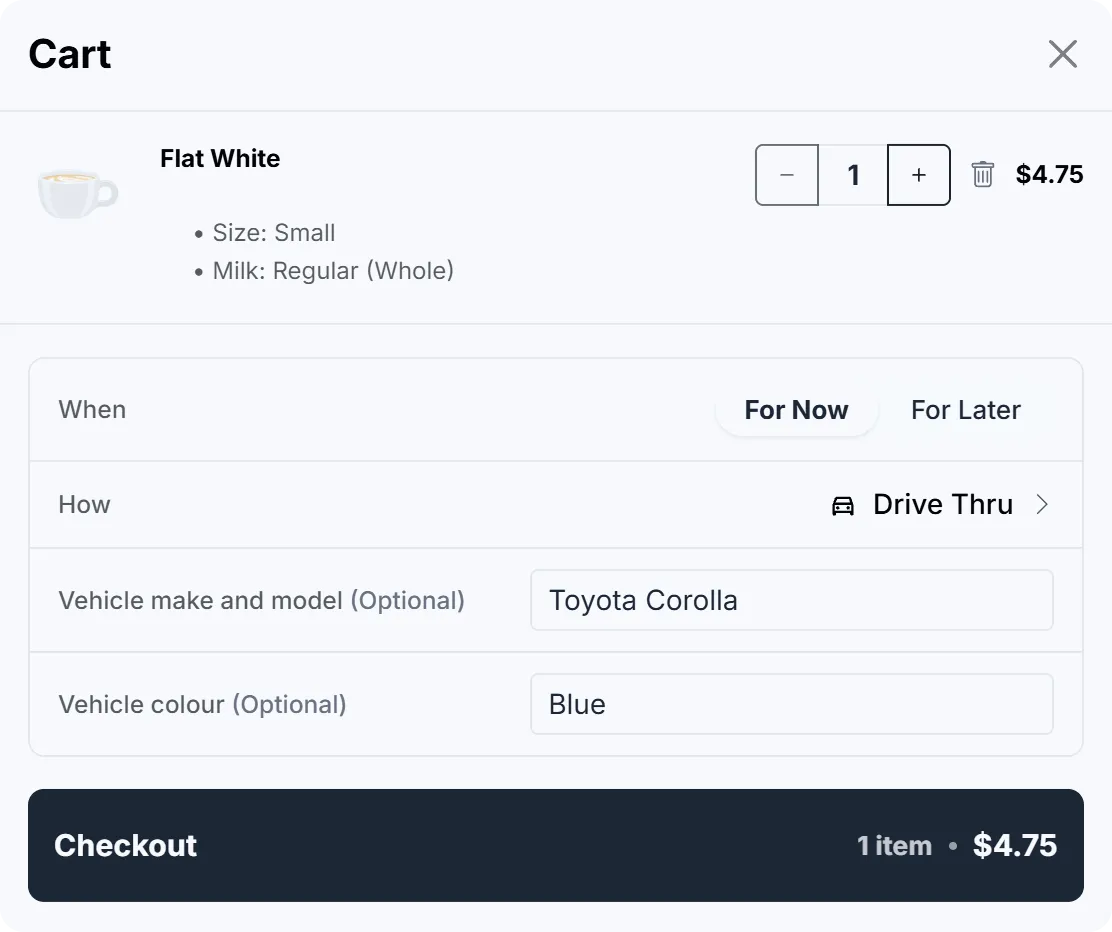
Ask customers for their car, and show it on tickets and Fresh KDS so staff find the right one.
Match your colours, layout and corners in the theme editor, and translate or reword the menu for every language you sell in.
At checkout
In the cart, customers choose to order now or for later, and how they’ll collect it, from the order types each location offers.
Drive Thru and Curbside customers can add their car, so staff know which one to take the order to.
Questions
More features
Install from the Shopify App Store, add the ordering block to your store, and take your first online order during the trial.