






Skip to content

Run your cafe on Shopify, in store and online

POS Cafe adds cafe-ready ordering to Shopify: detailed modifiers, tickets routed to every prep area, open tabs, and an online ordering menu that shares your in-store products.

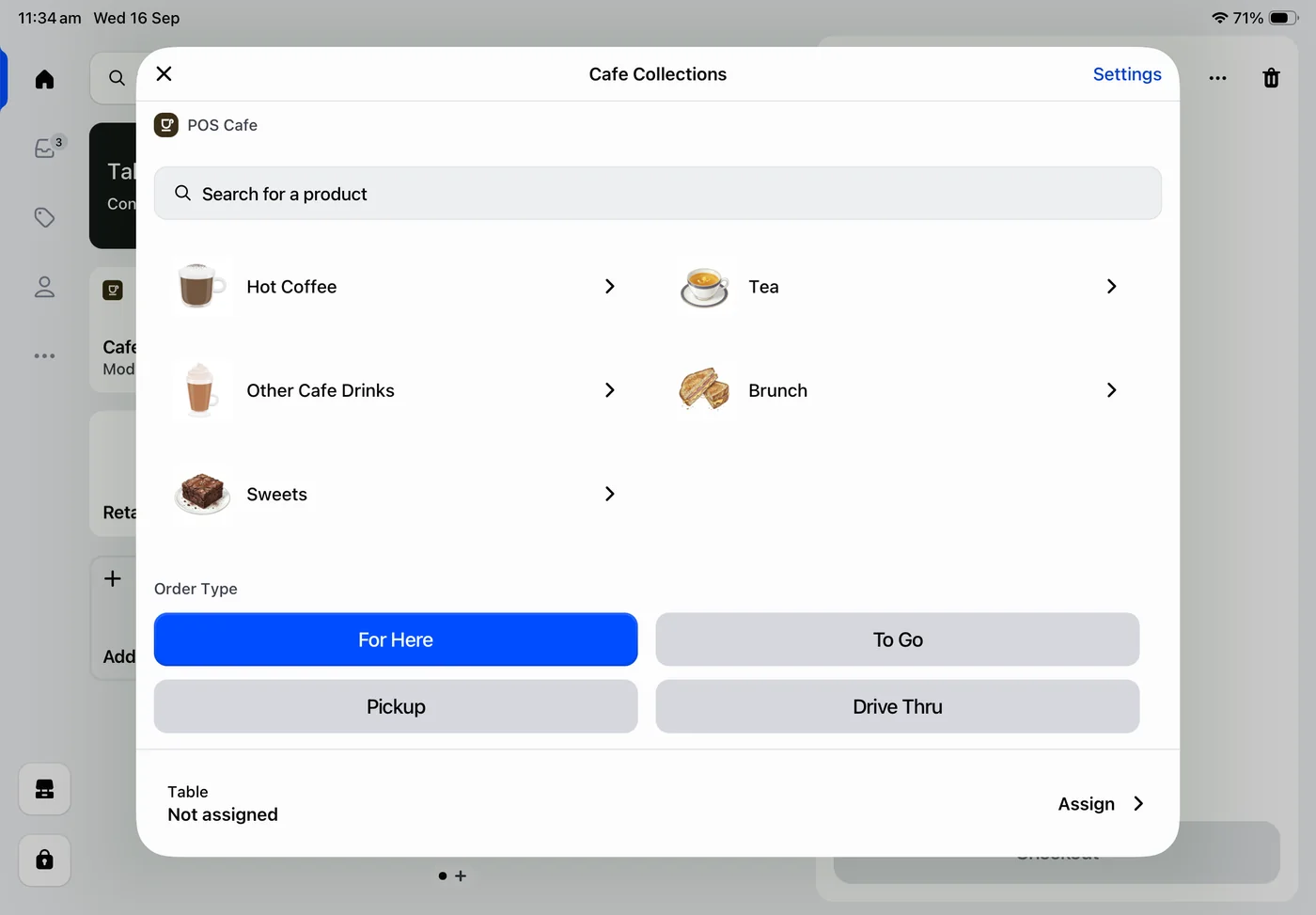
POS Cafe in Shopify POS on iPad, showing cafe collections, order types, and table assignment
Online ordering
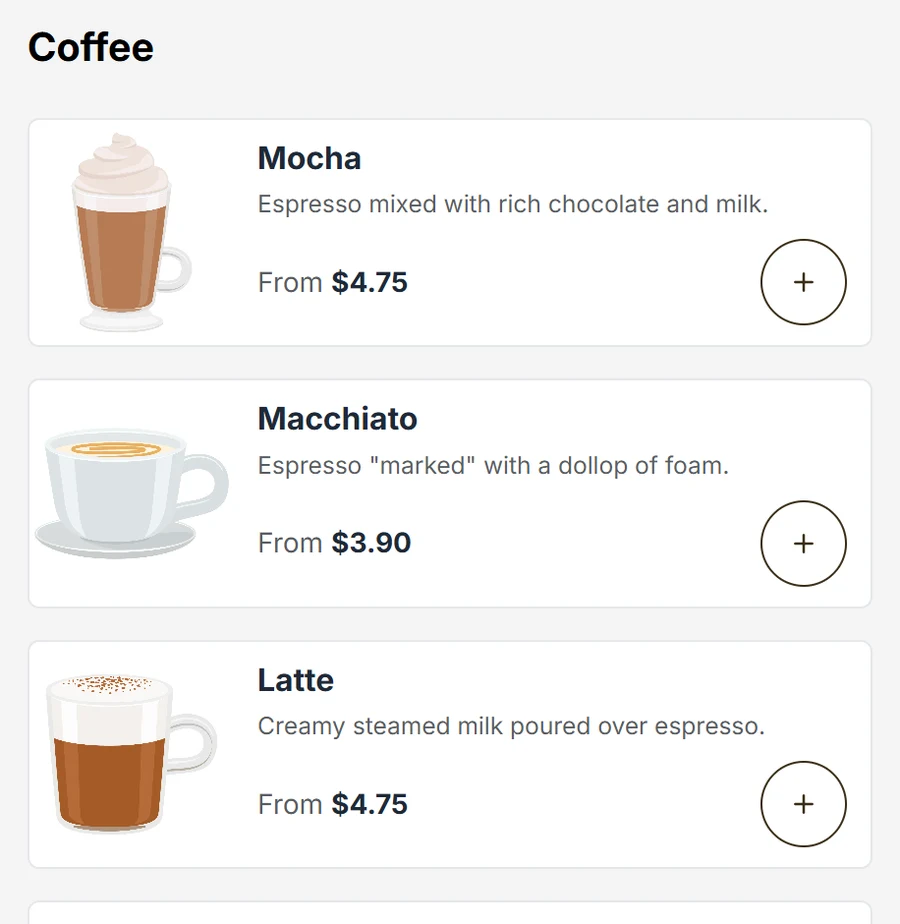
The same cafe menu in the POS Cafe online ordering storefront
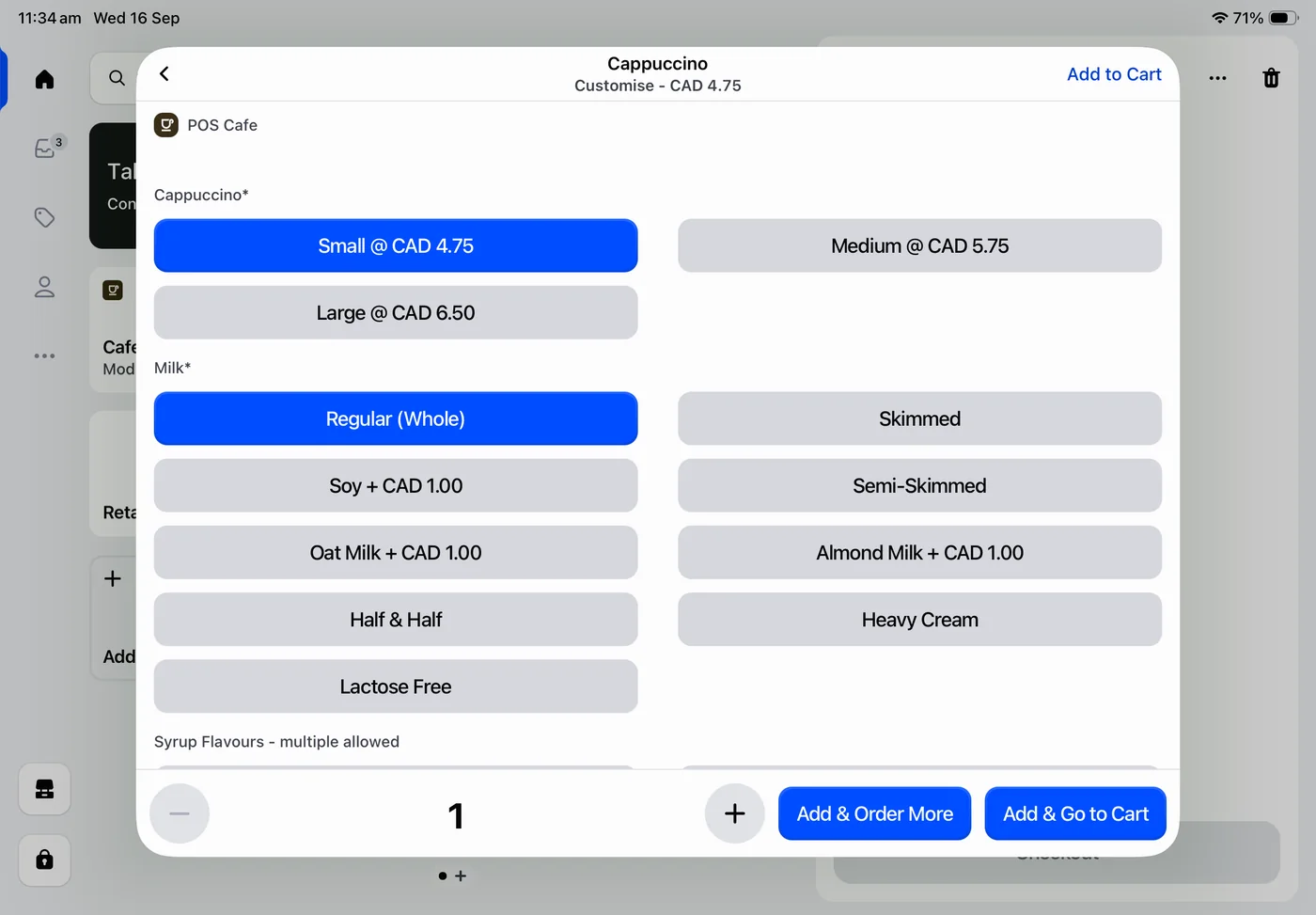
A cappuccino being customised with size, milk, and syrup modifiers in POS Cafe on Shopify POS

At the counter

Built into Shopify POS on iPad

Your team takes cafe orders in the Shopify POS they already know. Sizes, milks, extras, and their charges are captured in a few taps, with no second system to learn or reconcile.

Every sale lands in the same Shopify products, orders, and reports you use for the rest of your business.

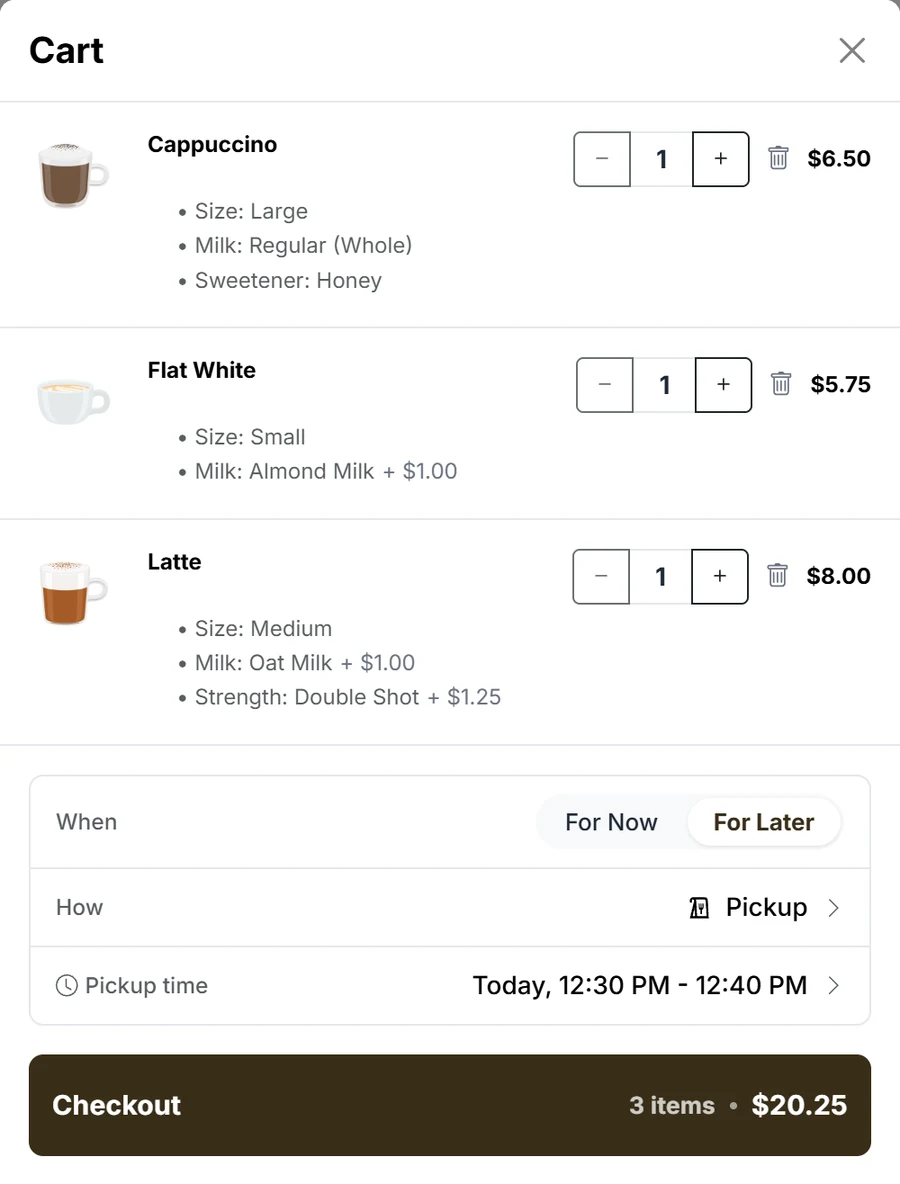
An online order in the POS Cafe storefront cart, with modifiers, extra charges, and a scheduled pickup time

For your customers

An online menu that matches your counter

Add an ordering menu to your Shopify store using the same products and modifiers you sell in store.

Customers customise their drinks, choose pickup now or later, and pay through Shopify checkout. Their order prints at the right prep area, just like a counter sale.

The same menu can also run on Cloudshelf self-service kiosks in your cafe.

Core features

Built for fast cafe service

The three workflows cafes rely on every shift, all inside Shopify POS.

Mocha - $5.50Build order
Size
Large + $1.00+
Milk
Oat + $0.50+
Extras
Whipped cream + $1.00+
Add to cart - $8.00

Custom orders with powerful modifiers

Build flexible modifier sets for sizes, milks, extras and more, optional or required, multi-select, and extra charges. Your team captures every preference in a couple of taps.

Order #1044Table 4
Barista
  • 1 x Cappuccino
  • - Oat milk
  • 1 x Flat white
Kitchen
  • 1 x Bacon roll
  • - Extra bacon
  • 1 x Carrot cake
✓Tickets sent to the right prep areas

Order tickets routed to every prep area

Send each item to the right station, barista, kitchen, or sandwich bar, on paper tickets or Fresh KDS screens the moment the order is placed.

Open tabs4 active
Table 43 items$32.50
Table 72 items$18.00
Window bar5 items$41.20
Send to prep2 new items

Open tabs and table service

Run open tabs on Shopify draft orders with dining areas and table numbers. Send each new round to prep with one tap, then settle up when the table is ready.

Also included

The details that keep service running

Supporting tools for printing, table ordering, discounts, and keeping your online menu accurate.

Merchant reviews

Loved by cafes on Shopify

Rated 5.0 from 26 reviews on the Shopify App Store.

  • Honestly couldn’t recommend POS Cafe and the team more.

    For FoH, the intuitiveness of the app meant that my staff got to grips with it in one shift, with customers none the wiser of any change to the till.

    RAVE Coffee - United Kingdom
  • The truth is, POS Cafe works - but what’s truly the gem here are its founders.

    After a long search for an app to manage our café locations that would actually run well on Shopify POS, I came across the founders of POS Cafe.

    Pastelería La Ermita - Chile
  • This app solves where Shopify falls short and makes it a home run.

    I love Shopify but didn’t feel like it was possible to use for a coffee shop until I saw this app.

    Witches Brew Coffee Co - United States
  • Highly recommend this app if you are running a cafe using Shopify POS.

    It has made inputting orders so much easier and when paired with Fresh KDS you very easily have a fully automated ordering system, removing all those paper tickets.

    Eclipse Coffee Roasters - Canada
  • Super happy with the service and support.

    Setup was straightforward, and although we ran into a small issue where the system wasn’t updating on the POS app, the support team responded quickly and resolved it within 10-15 minutes.

    Andune Coffee Studio - Australia
  • POS Cafe has improved my tea-ristas’ and the chef’s accuracy in preparing customer orders.

    The app is intuitive and powerful, but what truly sets it apart is its developers who care about small businesses.

    TeaLula - United States

Read all reviews on the Shopify App Store

What's new

Improved every month

We ship new features and fixes for POS Cafe every month. Here's what has landed recently.

Read the full changelog Monthly product updates

Recognised by Shopify

Built to Shopify’s standard, and trusted by the cafes that use it

  • Shopify Plus Partner

    Shopify Plus Partner

    An earned Shopify Partner Program tier for partners serving complex merchant needs.

  • Built for Shopify

    Built for Shopify

    Shopify’s mark for apps that meet its standard for speed, ease of use and deep integration.

  • 5.0

    5.0 from 26 App Store reviews

    Every review is from a cafe running POS Cafe on Shopify POS. Read them on the App Store.

Pricing

Simple, transparent pricing

Every plan includes every feature. Choose a plan by the number of Shopify POS locations you run.

Essential

$29USD / month

1 POS location

For single-location cafes getting started.

Start free trial

Growth

$59USD / month

2 to 4 POS locations

For growing cafes adding locations.

Start free trial

Expansion

$99USD / month

5 to 9 POS locations

For established multi-location cafes.

Start free trial

Enterprise

$199USD / month

10 to 20 POS locations

For cafe groups running many sites.

Start free trial

Included in every plan

  • 21-day free trial
  • Every POS Cafe feature
  • Unlimited cafe items
  • Unlimited modifiers and modifier sets
  • Extra charges for modifiers
  • Online ordering storefront
  • No additional usage fees
  • Email support

Running more than 20 locations? Talk to us about a plan

FAQ

Frequently asked questions

If you have anything else you want to ask, reach out to us.

    • Do I need Shopify POS Pro, or does POS Lite work?

      POS Cafe works with both Shopify POS Lite and POS Pro, and every plan includes the full feature set. Nothing in POS Cafe needs POS Pro.

    • How does the free trial work?

      Every plan starts with a 21-day free trial with full access to all features. Install POS Cafe from the Shopify App Store and you won’t be charged until the trial ends.

    • Do I need new hardware?

      No. POS Cafe runs inside the Shopify POS app on the devices you already use. Ticket printers and kitchen screens are optional extras you can add when you’re ready.

    • Which printers and kitchen displays are supported?

      POS Cafe prints order tickets to Epson printers via Server Direct Print and Star printers via CloudPRNT. Both are cloud protocols, so no print server is required. You can also connect Fresh KDS kitchen displays.

    • Can I use POS Cafe across multiple locations?

      Yes. Essential covers one POS location, and Growth, Expansion, and Enterprise cover 2 to 20. Store hours, product collections, and printers are set separately for each location.

    • Will online ordering work with my theme?

      Online ordering is a block you add to a page in your theme editor, so it works with any theme that supports app blocks, including Shopify’s free themes. You can match its colours, layout, and corners to your brand.

    • Do modifiers affect my Shopify inventory?

      Only if you want them to. Modifier options are Shopify products, so items sold with the POS Cafe tile record each option against its own product, ready for stock tracking and reports. Most cafes leave inventory tracking off for options like milks and syrups. The POS Cafe - Lite tile adds custom sales, which Shopify doesn’t track.

    • Do you help with setup?

      Our step-by-step guides walk you through setup, and our support team answers setup questions by email. For hands-on help, our recommended partners can set up and customise POS Cafe for you.

    • How do I get help?

      Every plan includes email support. Send us a message from the support page and we’ll get back to you quickly.

Try POS Cafe free for 21 days

Install from the Shopify App Store and bring your counter, online ordering, and kitchen workflow into the same Shopify business.