
Online Ordering: Getting Started
POS Cafe Online Ordering adds a fast, branded ordering menu to your online store. Customers browse your live menu, customise items with modifiers, schedule pickup, and check out, all in your store’s currency, on any device.
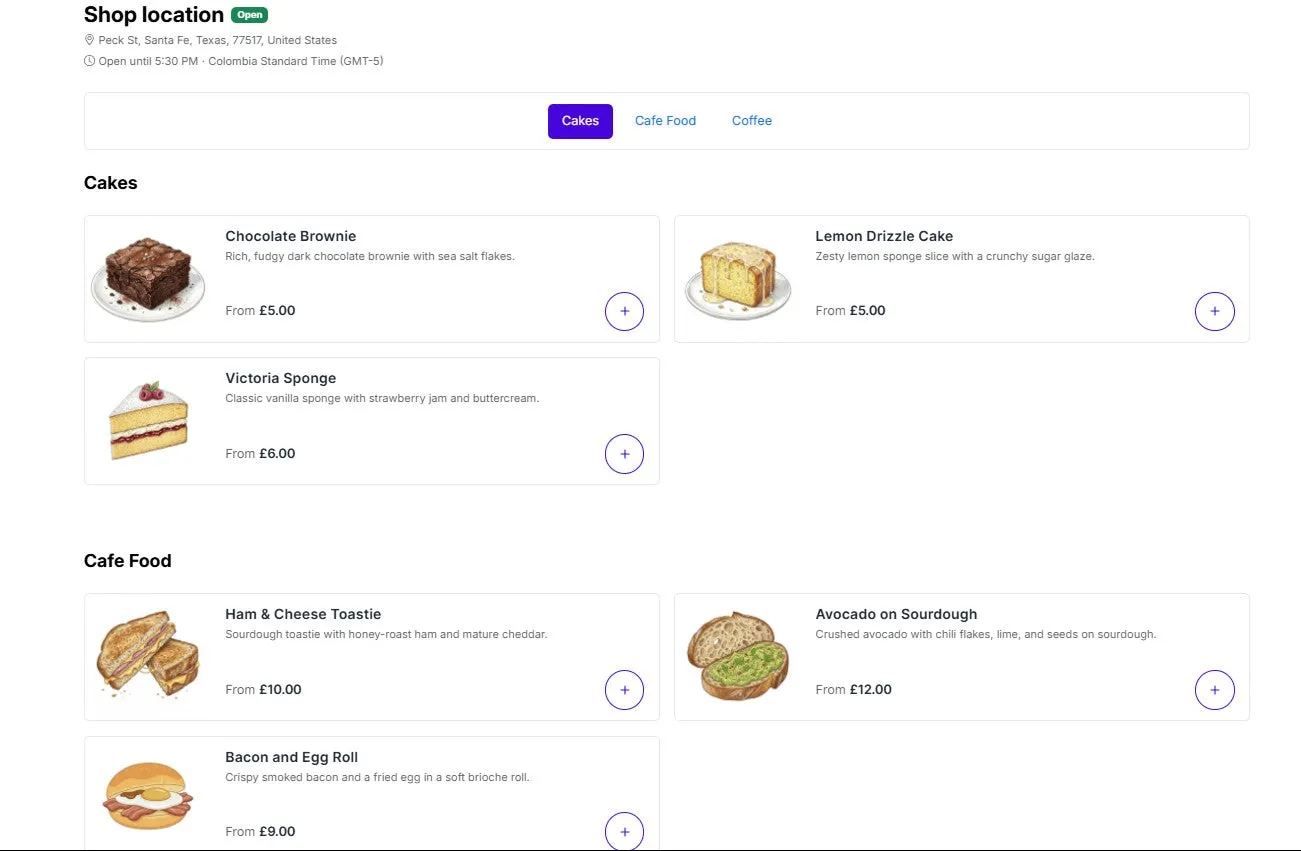 The customer-facing online ordering menu.
What you can do
Section titled “What you can do”- Show a live, market-correct menu with up-to-date prices and availability.
- Let customers customise items with sizes, milk, syrups and other modifiers.
- Offer pickup now or scheduled for later, with your own prep time and time slots.
- Run multiple locations, each with its own menu, hours and stock.
- Generate table QR codes that deep-link customers straight to the right location and table.
- Match your brand with colours, layout, corner radius and density, with no code required.
How it fits together
Section titled “How it fits together”There are two halves to the extension, and it helps to keep them straight:
| Where | What it controls | Examples |
|---|---|---|
| Admin (your POS Cafe app) | Your data and ordering rules | Locations, menus, products, modifiers, hours, prep time, translations |
| Theme editor (the storefront block) | How the menu looks on your store | Colours, layout, content width, navigation style, density |
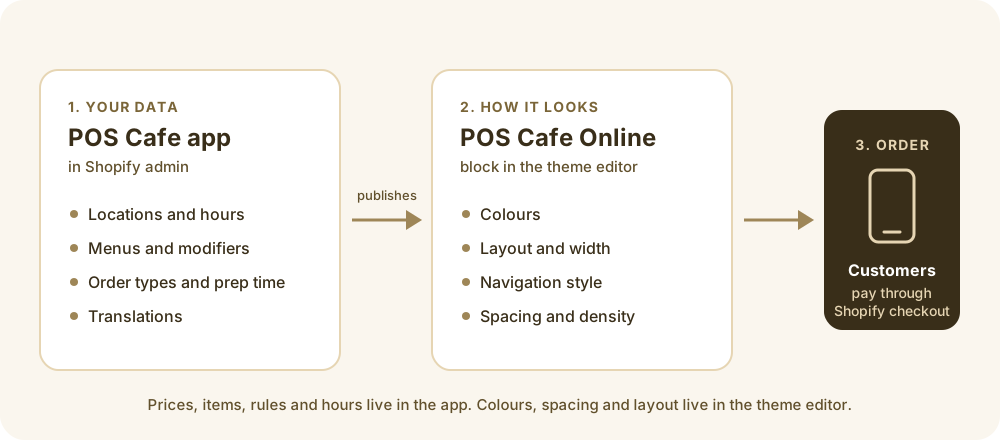 Admin holds the data; the theme block presents it.
Before you start
Section titled “Before you start”- You have the POS Cafe app installed and at least one location with an active POS Cafe licence. Only licensed locations are published to the online menu.
- You can edit your online store’s theme (to add the ordering block to a page).
- The Storefront API key that powers live pricing is created automatically when you install the app, so there’s nothing to connect. You can check it on the Online ordering connection card in Settings → General Online Ordering Settings.