
Admin Order Details
View online order pickup and delivery information directly on the order detail page in your Shopify admin using the POS Cafe admin block.
How to enable the POS Cafe Order Info block
Section titled “How to enable the POS Cafe Order Info block”-
Open an order. From your Shopify admin dashboard, click on Orders from the left-hand menu. Select any existing order that contains POS Cafe items, from the Online Store or Shopify POS.
-
Find the Blocks section. Scroll down the order details page until you find the Blocks section.
-
Add the block. Click on the + Block option, and from the dropdown menu, choose POS Cafe - Order Info.
-
Pin it. The POS Cafe Order Info section will now appear on the page. To ensure this block is always visible for future online orders (saving you from having to add it every time), make sure to click on the pin icon located in the top right corner of the block.
-
Done. The block is now pinned, so it appears on every order with POS Cafe items.
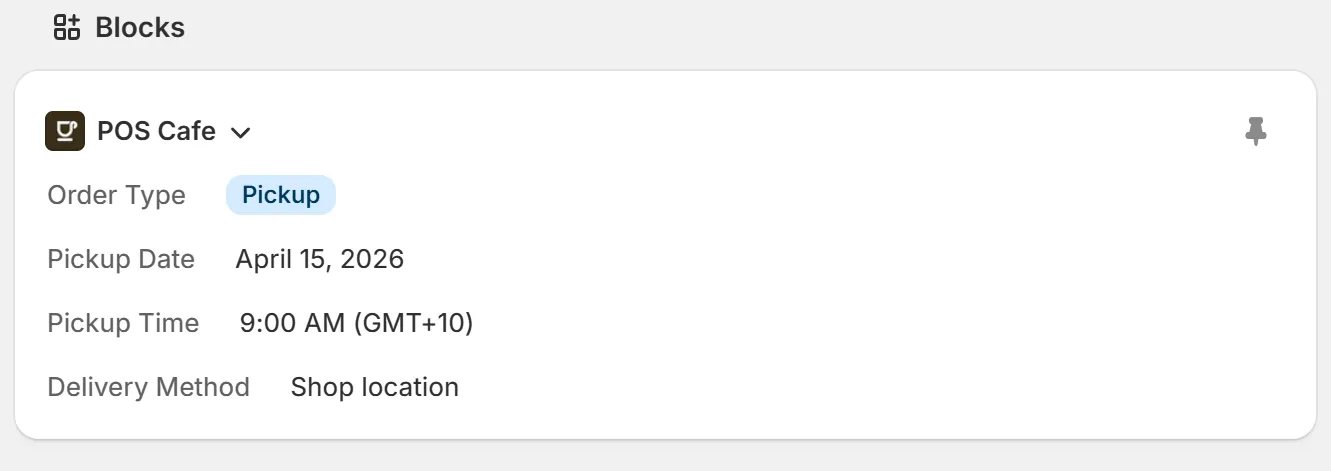
What the block shows
Section titled “What the block shows”The POS Cafe - Order Info block shows the details POS Cafe recorded for the order, when they apply:
| Field | What it shows |
|---|---|
| Order Type | The order type, such as For Here, To Go or Pickup. |
| Prepare For | When to prepare the order: as soon as possible, today at a time, or a future date and time. Dates and “Today” follow the time zone set for the order’s location in POS Cafe (or your store’s time zone if the location has none), so it shows the day the customer chose, wherever you view the order from. |
| Location | The location that prepares the order. |
| Delivery Method | The pickup or delivery method chosen at checkout. |
| Table Number | The table, for table orders. |